
See what to make.
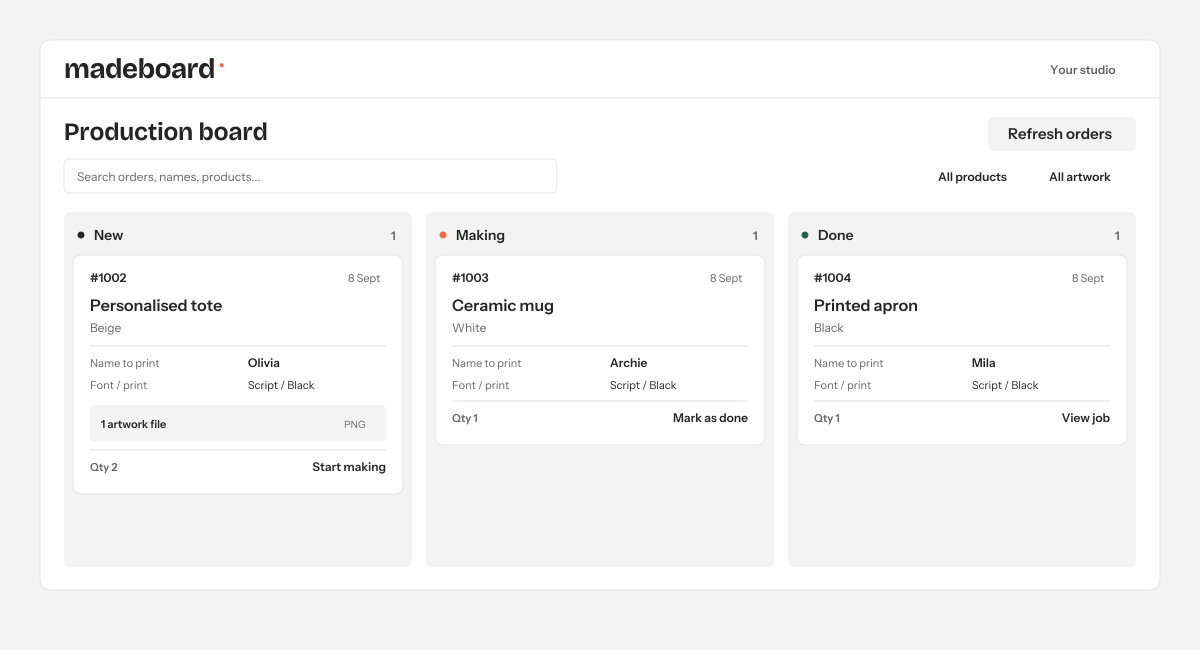
Read the variant, quantity and personalisation details alongside each production job. The right name. The right colour. The right order.
FOR PERSONALISED SHOPIFY ORDERS
Names, artwork and production progress in one clear board. Spend less time searching through orders and more time making them.
Made for the work behind every personalised order.
Less chasing.
More making.
THE DETAILS BELONG WITH THE JOB
When every order is a little different, the details matter. Keep them together from the first look to the finished piece.
Read the variant, quantity and personalisation details alongside each production job. The right name. The right colour. The right order.
Open the artwork attached to the order, alongside the job it belongs to. Spend less time hunting through separate messages and tabs.
Move jobs from New to Making to Done. Production statuses stay saved, so you can pick up where you left off.
THE RECORDED WALKTHROUGH
Take a look around Madeboard and see how personalised orders come together. Watch whenever it suits you.
A look inside the app, at your own pace.
FROM THE SCREEN TO THE WORKBENCH
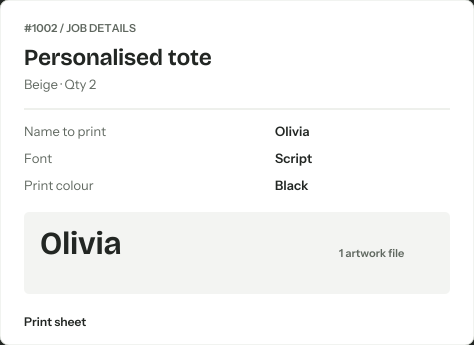
Open a job for its personalisation details and artwork, then print a production sheet for the workbench. Keep the information with the piece you’re making.
Done means made. Fulfil orders in Shopify.
 ILLUSTRATIVE JOB DETAILS
MADE FOR YOUR SHOPIFY WORKDAY
Bring your personalised orders into focus with Madeboard.

A clear production board for personalised Shopify orders.
See current plans and pricing on the Shopify App Store.
Madeboard is for Shopify merchants making personalised products, such as printed gifts, custom apparel, engraved pieces and made-to-order goods. It brings the details needed for production into one board.
Madeboard reads the properties attached to Shopify order line items, including personalisation text and artwork links. Your storefront or product-options app needs to save those details on the order for Madeboard to display them.
No. Done marks the production job as complete within Madeboard. You continue to manage fulfilment and shipping in Shopify.
Yes. Your New, Making and Done statuses stay saved when you refresh or return to the board.
Yes. Watch the recorded walkthrough whenever it suits you. You can pause, replay and explore the workflow at your own pace.
You can find the current subscription price, plan details and any available trial on Madeboard’s Shopify App Store listing before installing. View Madeboard’s plans on Shopify.
